
First experiments with Gaussian splats
Gaussian Splatting is the hot new thing in the world of 3D graphics right now. The technique first got popular in 2023, when it was introduced by French researchers. One of its first popular applications was in A$AP Rocky's music video Helicopter, where individual performances and assets were captured as Gaussian splats and then composed into a chaotic three-minute music video.
Since its inception in 2023, the technique has been further developed, and open-source tools have become available to cook up Gaussian splats at home. In this post I will do my first experiments with this supposed Gaussian goodness.
What is Gaussian Splatting?
Very high-level overview, but also all I know, because I was more about applying the technique.
A Gaussian Splat is a collection of ellipsoids in 3D space with a certain position, orientation, size, and color. The input to a Gaussian splatting algorithm is a collection of images with metadata that encodes details about the camera and also the location and orientation of the camera. A second input into the toolchain is a basic point cloud representing the captured scene.
The Gaussian Splatting algorithm takes this information and tries to reproduce the given pictures as well as possible, to match the input pictures. To do so, it builds up on the point cloud by placing ellipsoids in the 3D scene. The primary constraint, of course, is that these ellipsoids have to be placed in a way that matches all input pictures. So if two pictures show the same thing from different angles, the ellipsoid has to be in the right position to satisfy both perspectives.
The Gaussian Splatting algorithm is aiming to reduce the error between the scene reconstruction and all input images. If the reconstruction is able to satisfy all perspectives to a sufficient degree, the solve succeeds, and the Gaussian Splat can be used to create music videos for tracks named after aerial transport vehicles.
(Told you this was going to be a very high-level overview.)
How does one do a Gaussian splat?
For my first experiment I took a quick video of my room, making sure to move slowly and have enough detail overlapping between each image, so everything was captured from multiple perspectives. I used ffmpeg to convert my video into a bunch of individual pictures that I could then use in my pipeline.
Scene reconstruction
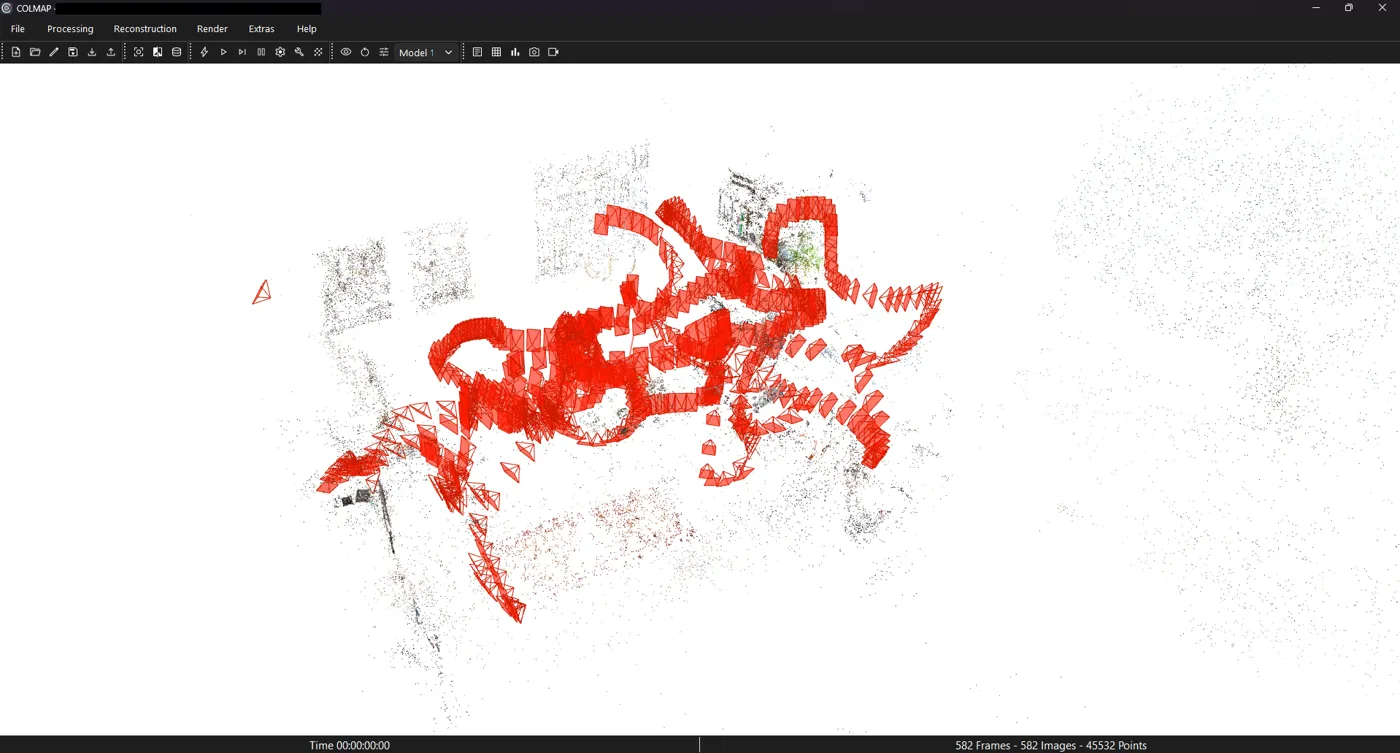
The first step is to generate additional data for each image, such as the position and orientation of the camera as well as the point cloud needed by the Gaussian Splatting algorithm. I used the open-source COLMAP package, which provides all the necessary tools to generate this data. The first step to run is feature extraction on each image; after that, features can be matched between multiple images. There are several strategies available for matching. I started with sequential matching, because I thought the video is sequential and that should probably give me good matching. However, that was not successful. I ended up with 10 individual matched groups, because COLMAP seemed to be unable to match all the images into one scene. After some back and forth I went with the exhaustive matching strategy, which took a full hour with 600 pictures (NVIDIA systems with CUDA are supposedly faster). This strategy created the desired results; nearly all pictures were matched against each other. Only 20 or so were grouped together into a separate scene. As a last step I undistorted the images with COLMAP and exported everything.
COLMAP offers a GUI to check the results of the reconstruction, and in the image below you can see the results of my reconstruction. The point cloud already shows outlines of the room, such as images on the wall or a red rug.
Gaussian splatting
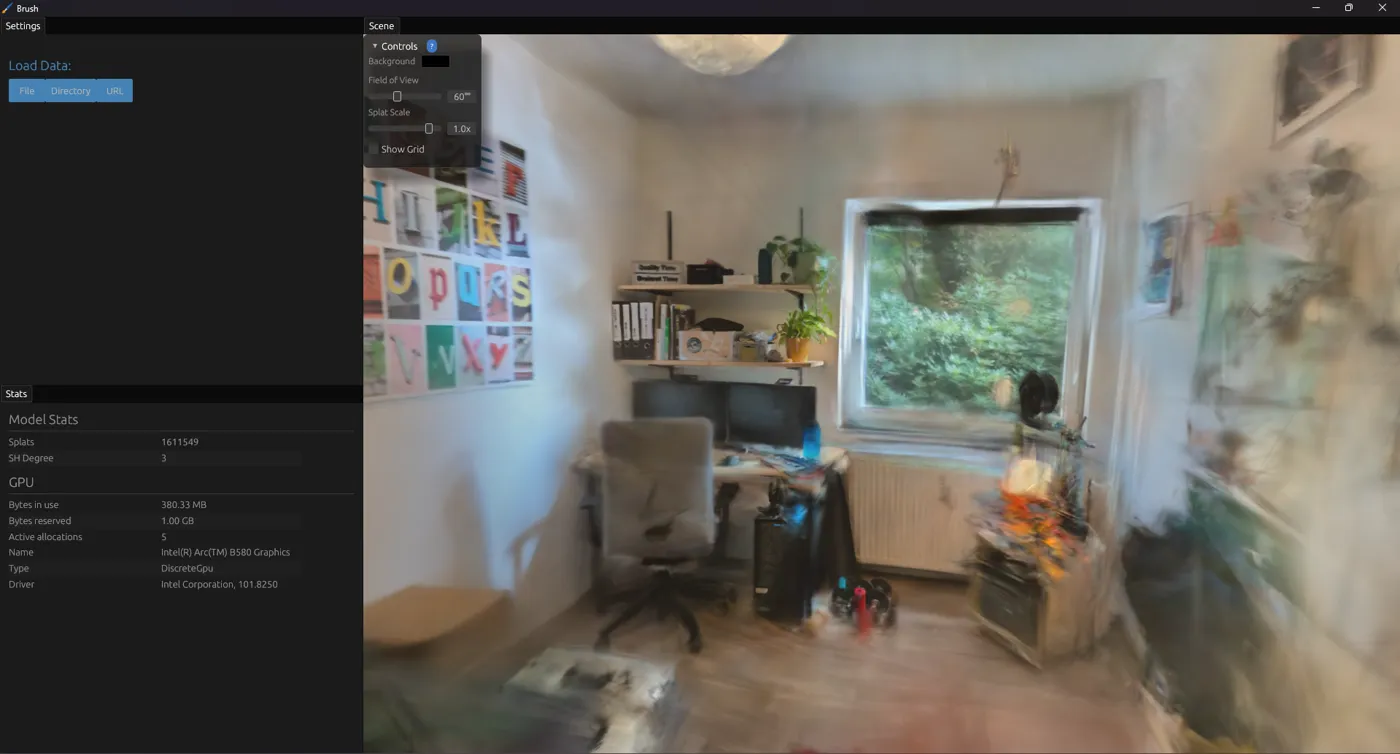
There are several tools available to create Gaussian splats. I used a tool called Brush, because it was able to utilize my Intel GPU. I imported my previously created data, used the default settings for creating the Splat, and let it run. Because creating a Gaussian Splat is an optimizing problem, the tool will almost immediately give you some solution and then iteratively refine it. So even while it is running, you can already explore the Gaussian Splat, which is neat.
After the splatting is done, it can be exported as a .ply file to be consumed by other applications.
Better Splats
I believe creating the Splat from frames captured from a video was a bad idea. Images without any motion blur, taken in a deliberate way, would probably have been the better input. As a middle ground, I could have at least built some cheap filter to reject the really blurry images from my captured set before running COLMAP.
It is also obvious that the scene reconstruction would profit from using more data. For example, capturing the accelerometer data of a camera (phone) could provide a solver like COLMAP with additional data like the heading of the camera during capture and make the reconstruction better. However, COLMAP currently has no way of using additional sensor data, so one would have to use another tool or wait for support.
Using a Gaussian Splat
To look at
If one wants to simply present a Gaussian Splat of something to other people, SuperSplat seems to be the way to go at the moment. Besides offering a gallery of existing splats, the website also offers a free tool to further work on Gaussian splats and remove unwanted artifacts.
To work with (in Blender)
If one wants to work with Gaussian splats for creating 3D graphics, there are a bunch of options. For fans of free software, there are some Blender plugins that allow importing Gaussian splats into the software. However, Blender 5.3 will be released in November 2026 and will feature native support for Gaussian splats (Release Notes for Blender 5.3). I downloaded a beta build and gave it a try.
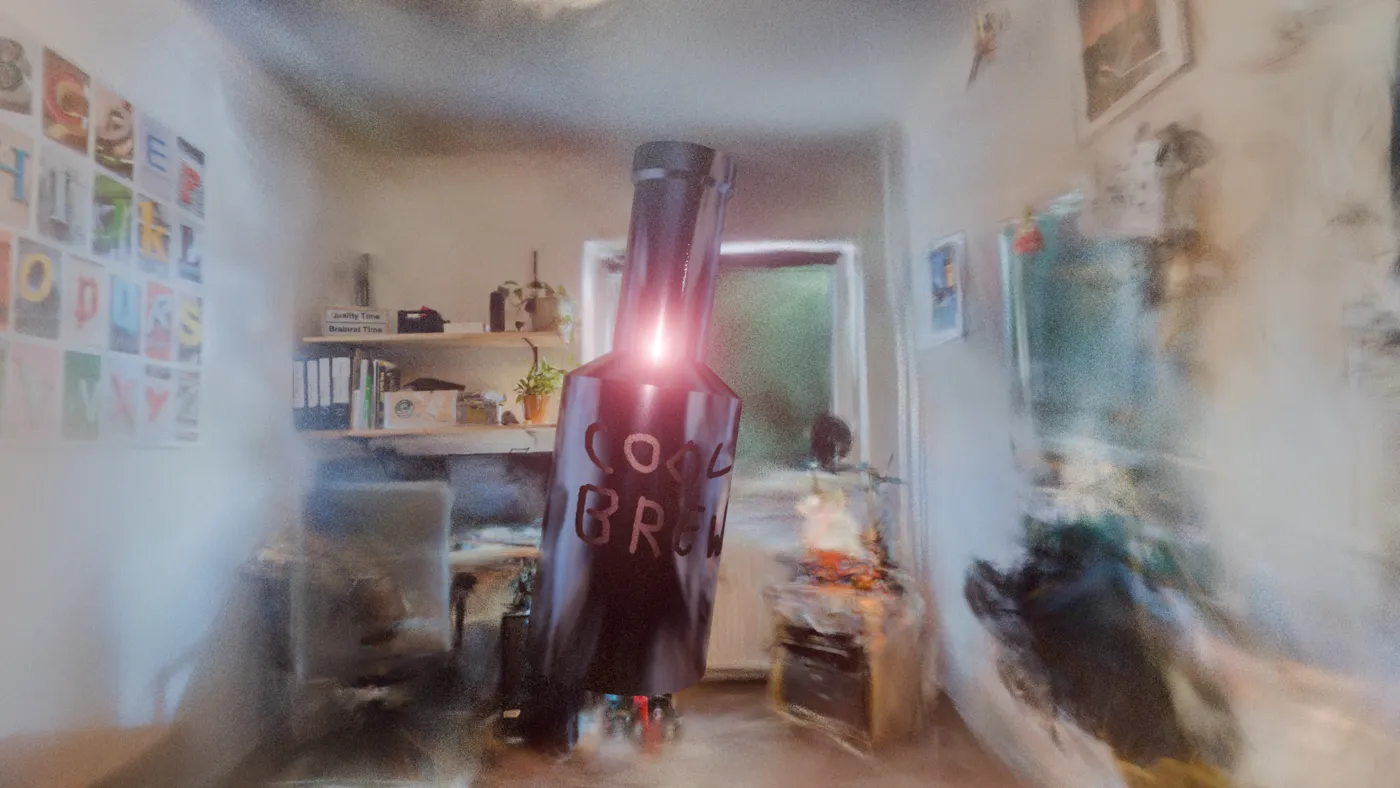
Importing the Splat was no problem at all. I could simply drag-and-drop it into my scene. I had some issue navigating in the dense cloud that was my splat and never got it rotated right, but I would chalk that up to missing skills on my part. In the end I managed to set up the camera and render out images. What is instantly noticeable is how slow the rendering is even in EEVEE with nothing else besides the Splat and a camera in the scene. While SuperSplat and Brush allow one to navigate the scene in real time, Blender takes some time to render one image of the scene. Probably less than a second, but still noticeable. The developers note in their own release notes regarding Gaussian splats, "Performance is not ideal." Hopefully something that will be worked on in the future.
After verifying that the splats worked, I did some experimentations with Geometry Nodes to slowly fade in the individual points based on distance to the camera. I used Claude to guide me, and it was really simple to get to work. Below you can see the animation I ended up with.
I would have loved to have some sort of glowing border, right where new points appeared in the animation, but I couldn't get it to work. I tried to annotate the points on the border with a special attribute via Geometry Nodes and then use that in a shader. However, it seemed to me that Gaussian splats were not integrated with the shader system at all, and so I abandoned that idea.
Lastly, I checked if Gaussian splats showed up in reflections. I used a light probe in EEVEE for that, and it worked alright.
Closing thoughts
Gaussian splats are pretty cool. Besides all the interesting technical aspects, Splats also fail in a more aesthetic way. When zooming in or having a badly resolved area in a Splat, there are the Ellipsoids that look like Brush Strokes. Compare this with blocky or pixelated borders that one normally encounters in 3D graphics, and it seems almost like an intentional artistic choice.
I believe splats offer new alleys for creative expression. In 3D-related work, splats can be used to create photorealistic assets quickly. However, for that, it would be nice if Blender got faster when working with Gaussian splats.
I also believe Gaussian splats could add some fun impulses in web design, because they can be rendered cheaply on modern browsers.